iPhone, iPad, and Android

Diamond Director

A game-day production app for baseball and softball teams that need a focused way to rehearse, direct, record, diagnose, and publish a clean program from one device.

Baseball game being recorded from behind the backstop

Latest layout update

Real game views, built into the production workflow.

The newest Diamond Director screens use real baseball and softball field views inside the app layout, so teams can immediately see how the product supports the person running the stream from behind the fence, dugout, or press-box table.

Game-day production

A cleaner live stream from one focused device.

Prepare the event, preview the camera view, rehearse the directing workflow, and send an H.264/AAC program to a compatible secure RTMPS destination that the operator controls.

Manual control, rule-based recommendations, and guarded automatic mode keep the operator in charge. Preflight diagnostics surface camera, microphone, network, storage, and device-temperature readiness before production begins.

Version 1.0 uses built-in cameras and compatible USB/UVC cameras on supported hardware. Optional wireless-camera ingest is deferred until its licensed runtime and physical one-camera/multi-camera qualification are complete.

The launch path is now organized for App Store and Google Play review: product page, support URL, privacy URL, screenshots, feature graphic, launch-list capture, advertising destination, and real game-action creative for social posts.

App Store: account set up, listing pendingGoogle Play: account set up, listing pending

Launch readiness

Built for app review, ads, and first customers.

The site now gives Apple, Google, early users, and ad traffic a clean destination owned by Bull City Software Group.

Apple Developer

The Bull City Apple Developer account is set up. The release candidate, screenshots, privacy URL, support URL, and review notes are ready; signed archive upload and the public listing URL remain pending.

Google Play

The Bull City Google Play developer account is set up. The signed Android bundle, store graphics, listing copy, and data-safety preparation are staged; draft listing approval and the public listing URL remain pending.

Support path

Product support routes through support@bullcitysoftwaregroup.com with a credential-safe field-test report workflow.

Privacy path

Version 1.0 is documented as device-local with no Bull City account, no company cloud storage, and no advertising tracking.

Store links

The support and privacy URLs are live now. App Store and Google Play purchase links stay marked pending until the official listings exist.

Waiting on listing

Apple App Store

Pending

Upload the signed Bull City build to App Store Connect, complete the draft listing, then paste the approved listing URL into the site.

Waiting on listing

Google Play

Pending

Complete the Google Play draft listing, finish organization verification, then paste the approved listing URL into the site.

Live

Support URL

https://bullcitysoftwaregroup.com/products/diamond-director/support

Use this URL in both store consoles.

Live

Privacy URL

https://bullcitysoftwaregroup.com/products/diamond-director/privacy

Use this URL in both store consoles.

Product screenshots

Fresh app screens from the latest build.

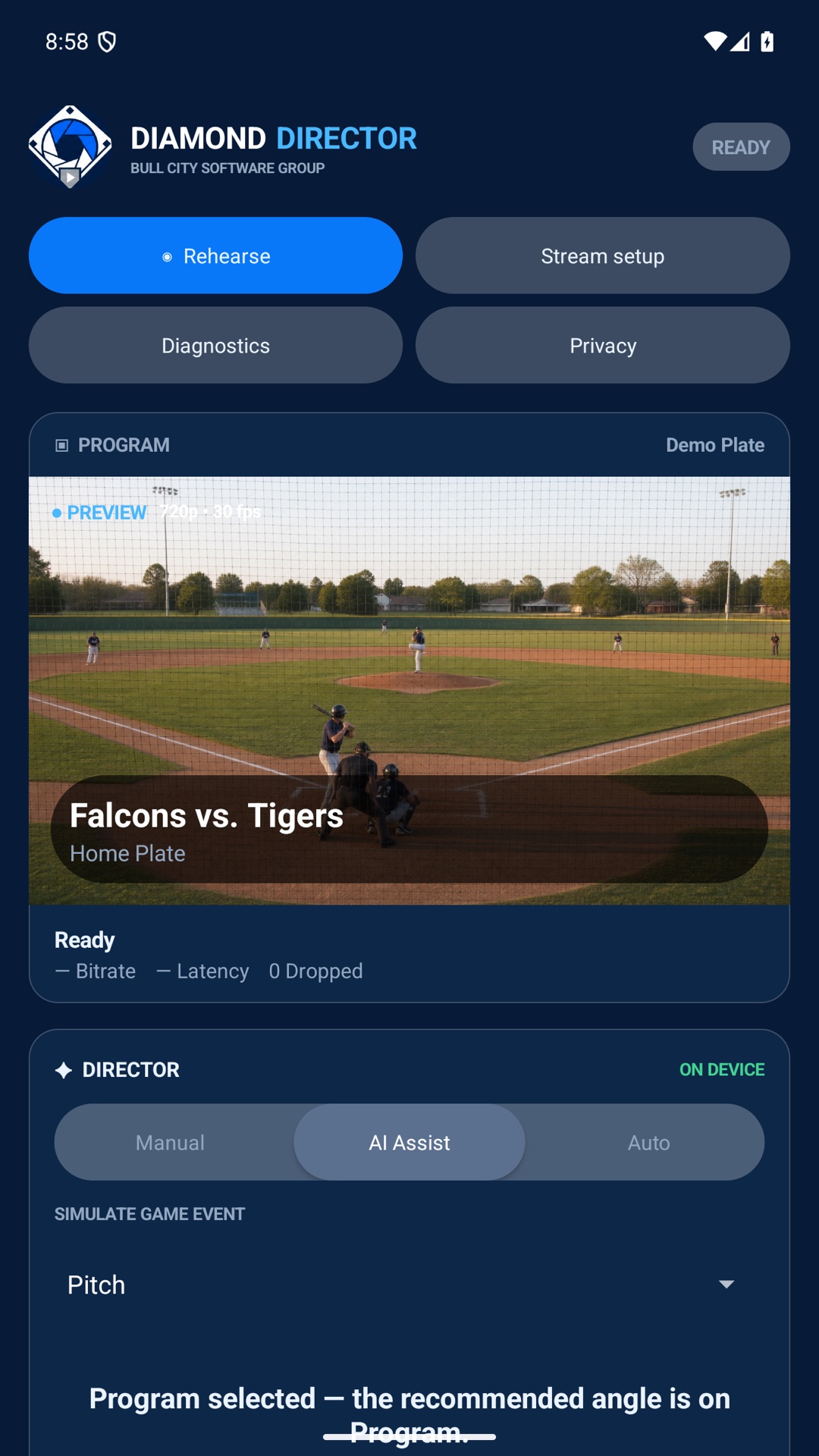
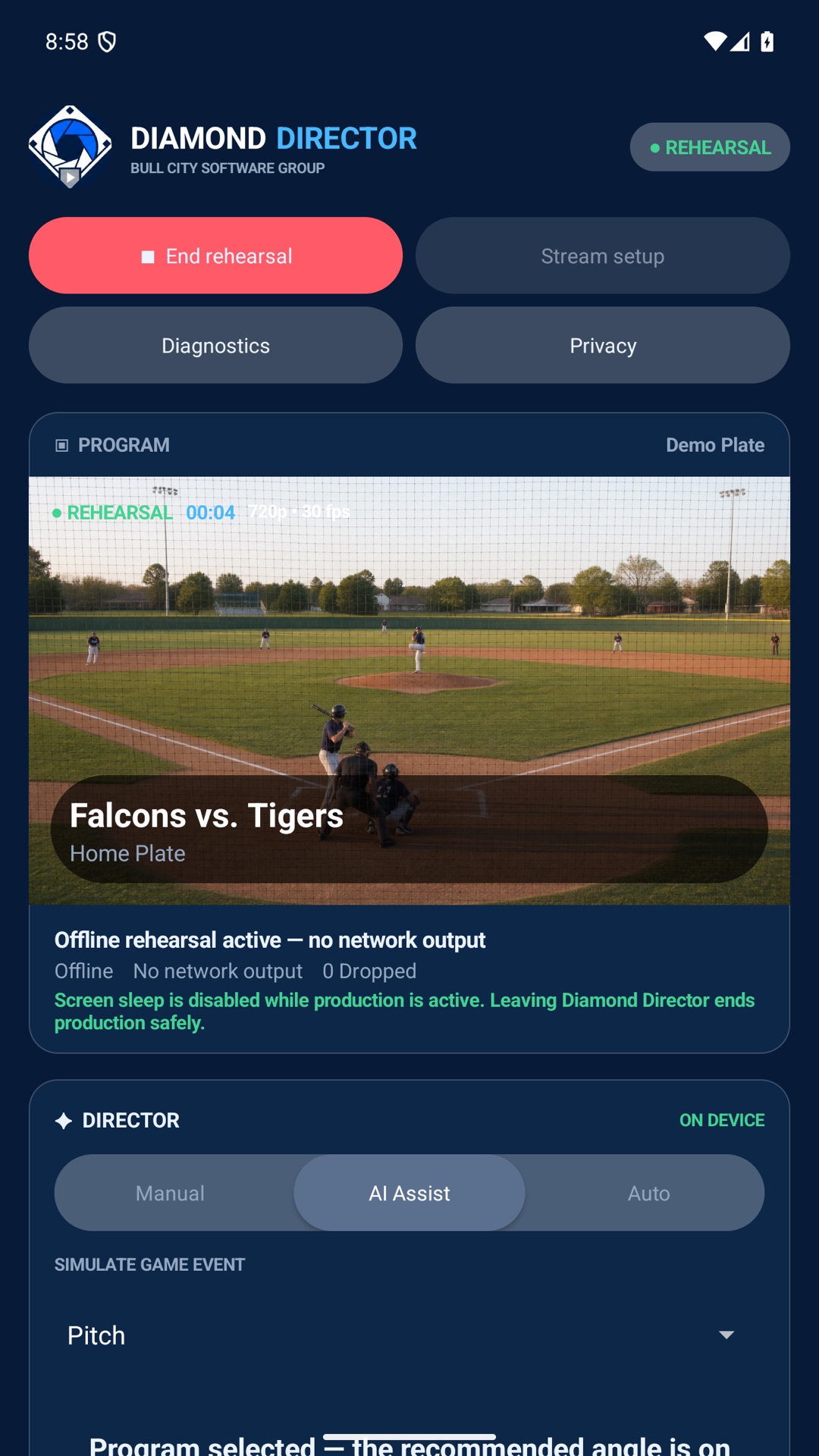
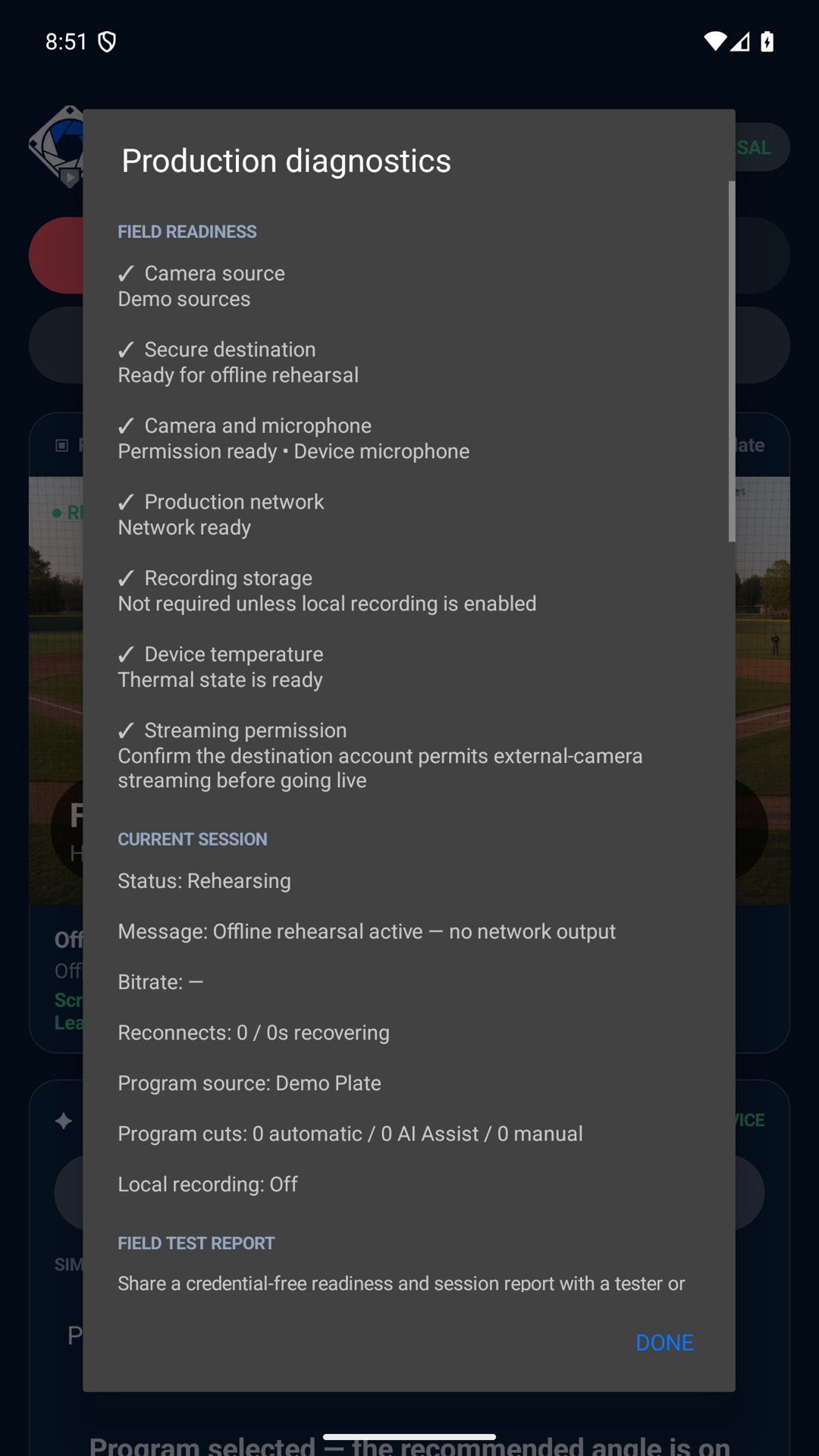
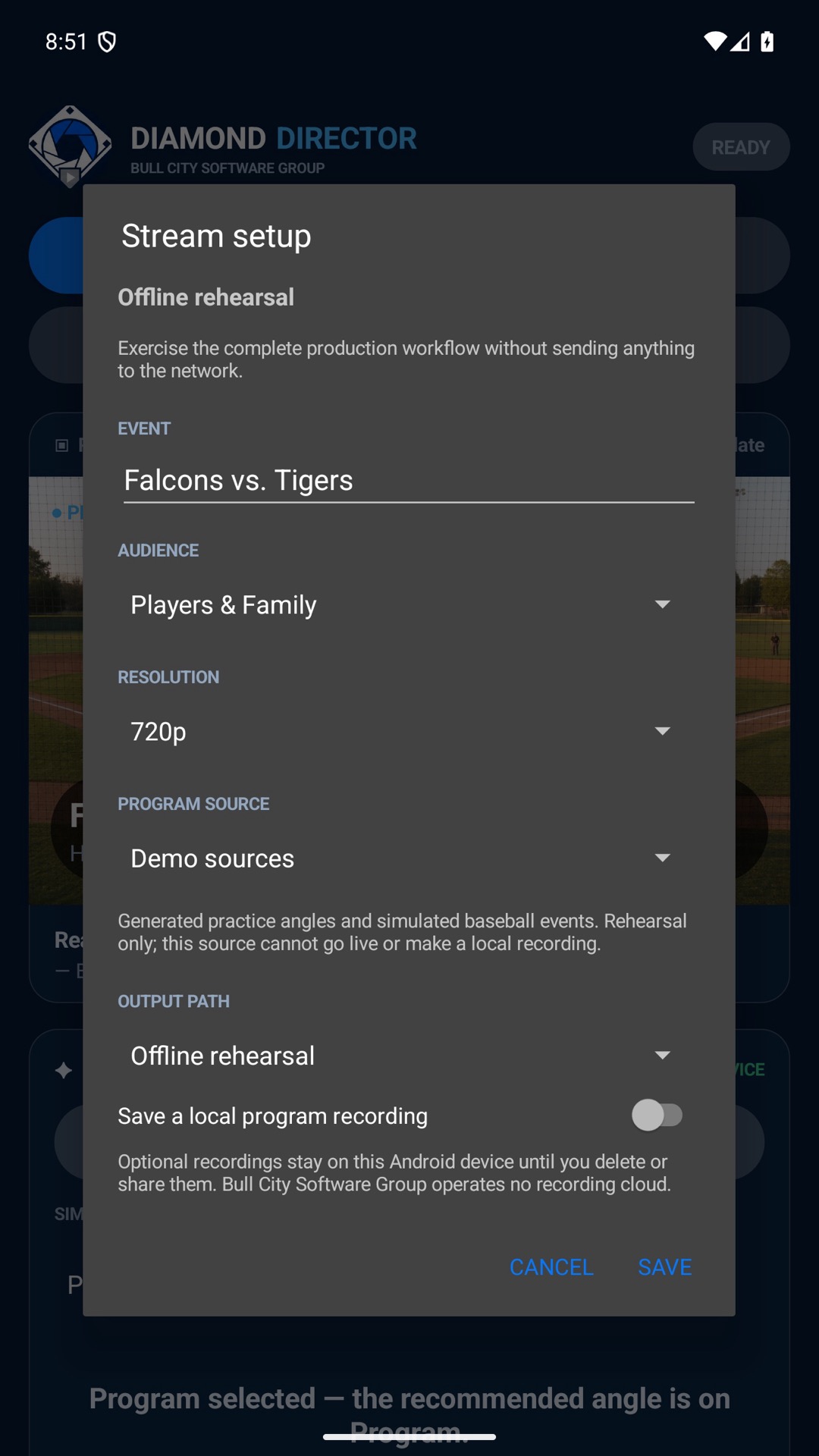
These screenshots support the public site, store listings, social posts, and paid-ad landing traffic with the real Diamond Director interface.

Tablet command center

Diamond Director Production dashboardProduction dashboard
Diamond Director Offline rehearsalOffline rehearsal
Diamond Director Production diagnosticsProduction diagnostics
Diamond Director Secure stream setupSecure stream setup
Diamond Director Privacy and aboutPrivacy and about

Phone field view

Diamond Director Phone dashboardPhone dashboard
Diamond Director Phone rehearsalPhone rehearsal
Diamond Director Phone diagnosticsPhone diagnostics
Diamond Director Phone stream setupPhone stream setup

Built for the dugout

The controls you need. No production cloud required.

Direct

Manual switching, assisted recommendations, and guarded automatic cuts.

Rehearse

Practice offline without a streaming account, destination, or internet connection.

Stream

Publish built-in camera and microphone media to an operator-supplied RTMPS destination.

Record

Save a local H.264/AAC program recording and share it only when you choose.

Diagnose

Review connection health, permissions, thermal state, storage, and dropped frames.

Protect

Keep short-lived stream credentials encrypted on the device and out of diagnostics.

Launch list

Capture demand before paid release.

Use this page for early ads, social posts, app review context, and conversations with teams that want a simpler way to run game-day production.

Final price, release date, and store links will be published after the listings are approved.

Join the Diamond Director launch list.